I assumed accessibility was something I could fix after the fact.
After the print issue was finished, I took on the digital version, assuming I could make it accessible by adding alt text and making a few adjustments.
What I didn’t understand yet was that accessibility in InDesign doesn’t work that way. If a file isn’t built accessibly from the beginning, trying to fix it afterward becomes a long, tedious process, and in many cases, not a realistic one.
To do it properly, I would have needed each designer’s original working InDesign file. Most of what I received were PDFs, and those weren’t created accessibly either. Without access to the original files, there was no clean way to establish proper hierarchy, reading order, or structure.
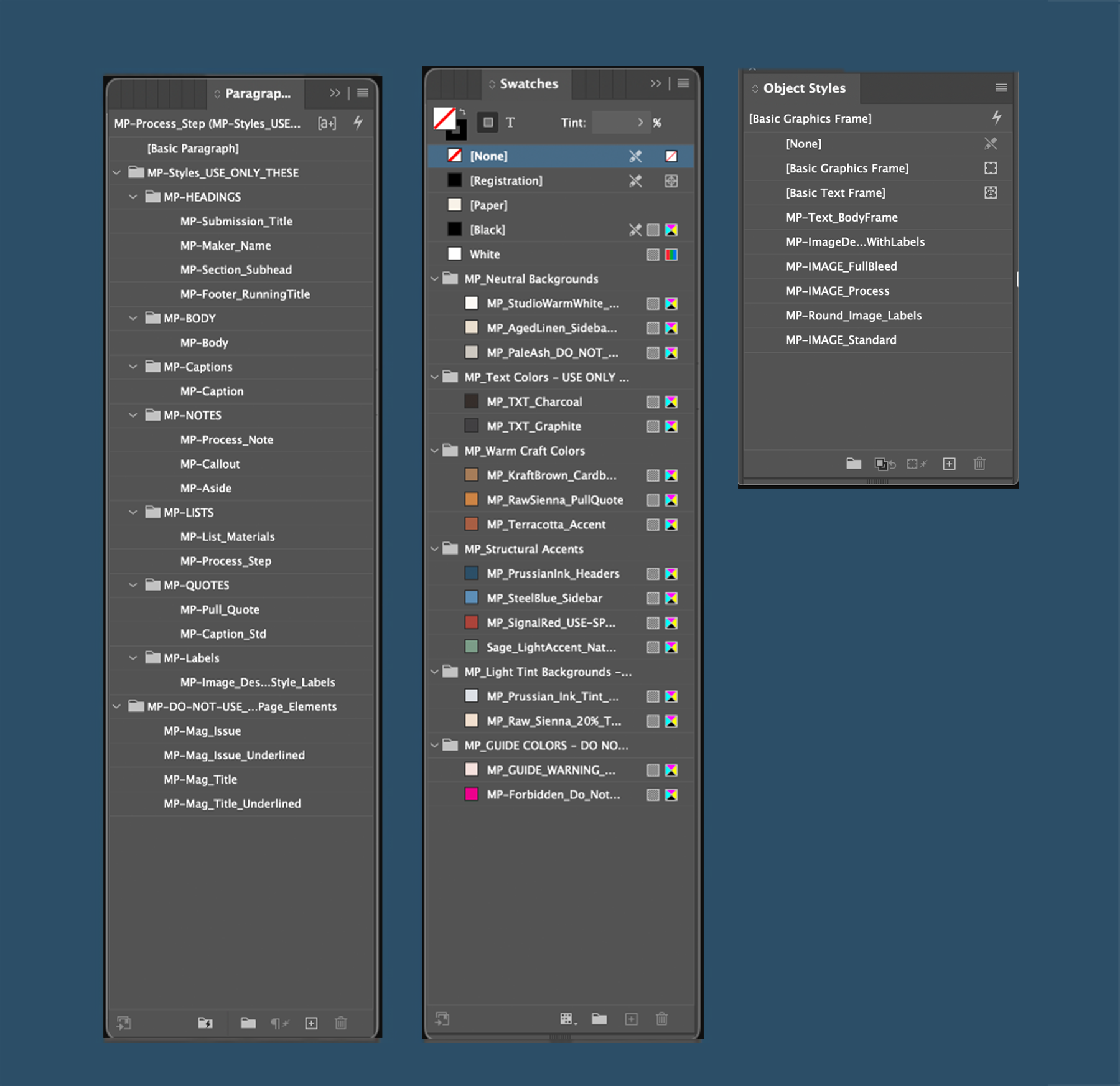
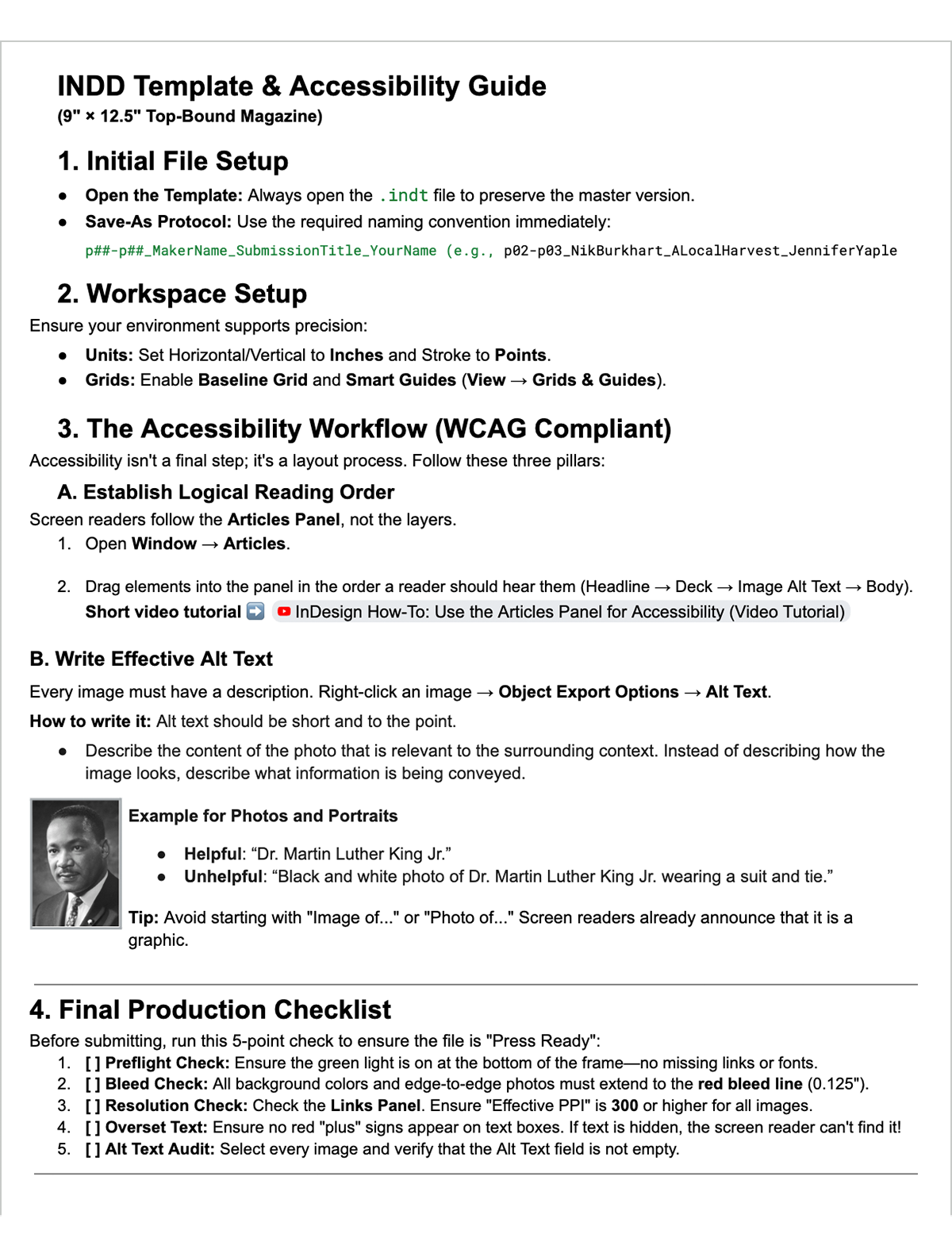
Accessibility wasn’t just about adding alt text. It required using paragraph styles with semantic tags, ensuring color contrast met accessibility standards, setting a logical reading order through the Articles panel, and writing alt text that was actually meaningful.
Once I understood that, it changed how I approached the entire project. This wasn’t something that could be patched at the end. It had to be built into the process from the start.
So I built the structure first.
I started with the InDesign file, because everything depended on how that was set up.
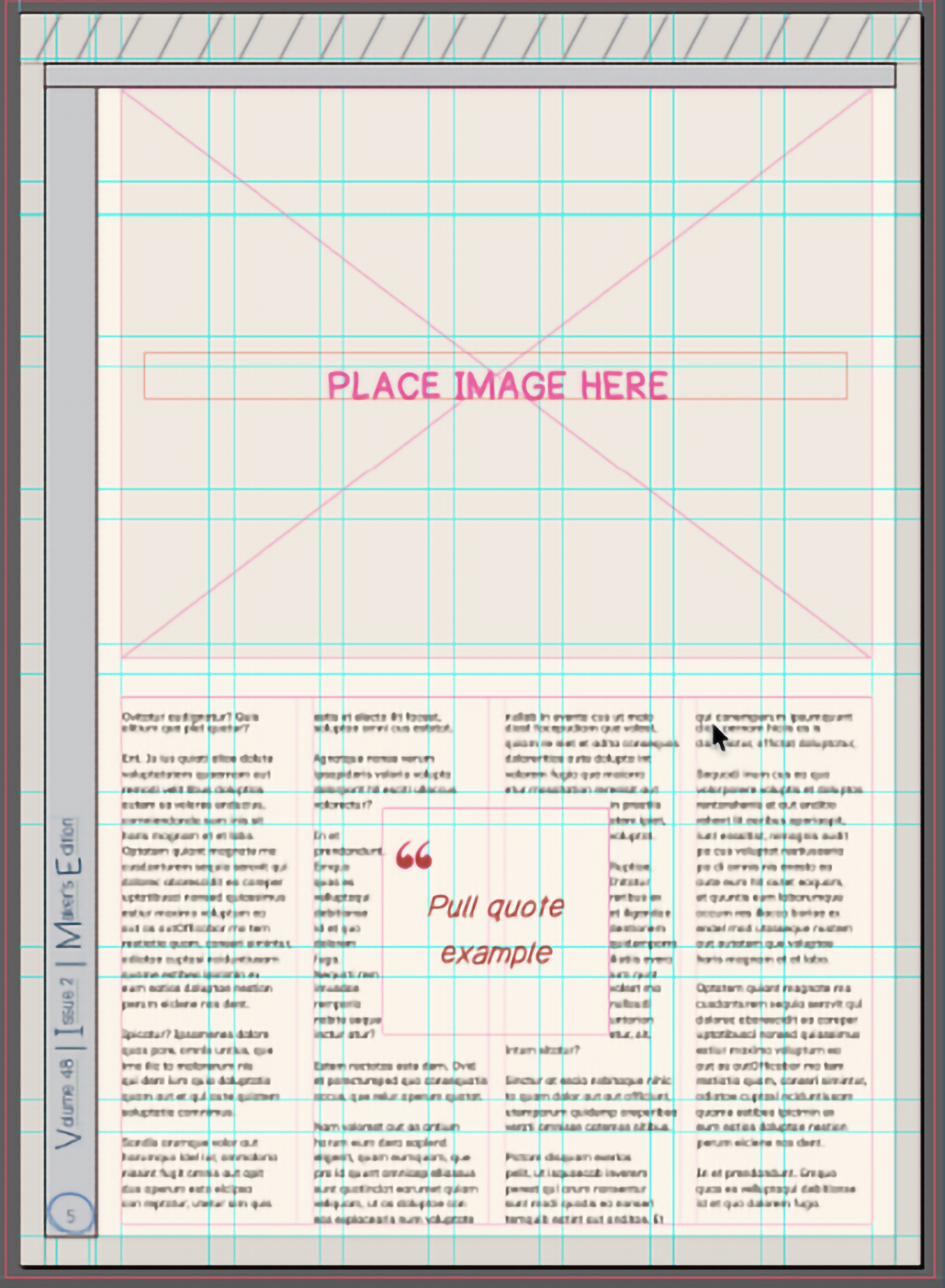
I created a template with styles, grids, and accessibility considerations already in place. Paragraph styles were tied to proper tags to establish hierarchy, and layouts were structured to support a clear reading order.
Instead of each designer building from a blank file, they were working within a system that already accounted for those decisions.
Alongside the template, I wrote an accessibility guide for the team so the structure would be used correctly as layouts were being built.
The file structure wasn’t enough on its own.
Accessibility depended on how the work was handled across the entire team.
I reorganized how submissions were collected and assigned, built a ranking system, and created a centralized tracker linking directly to working files instead of PDFs.
I also handled printer outreach and created a request-for-quote template so future teams would have a starting point.
These systems aren’t visible in the final layouts, but they directly affect how the work gets made.

What that structure looks like in practice.

The difference shows up in how the issue is built.
The layouts are more cohesive, and the process is clearer for the team working on it.
Because accessibility is built into the template and workflow, the digital version can be created properly without trying to retrofit it at the end.
The system can carry forward. Future teams won’t be rebuilding from zero.
This project shifted my focus from designing pages to designing the system that produces them.